0
2
0
0
使用 pip 在线安装 das 相关库文件
2025-04-03 17:39:18
381
1、在线安装方式
网址:http://pypi.sourcefind.cn:666/

相关安装包可以从网址中查阅
2、演示安装
torch安装:
pip install torch -i http://pypi.sourcefind.cn:666/das/dtk --trusted-host pypi.sourcefind.cn

onnxruntime安装:
pip install onnxruntime -i http://pypi.sourcefind.cn:666/das/dtk --trusted-host pypi.sourcefind.cn
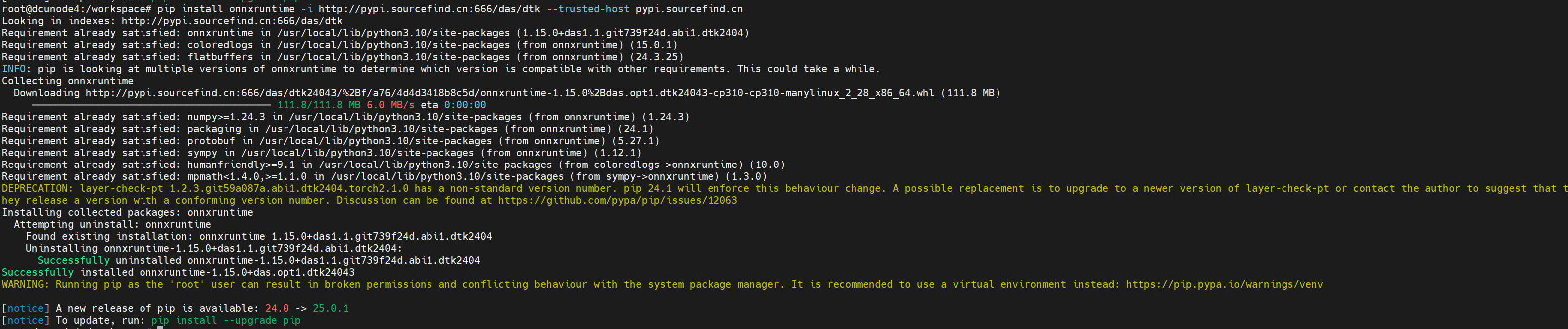
fastpt安装:
pip install fastpt -i http://pypi.sourcefind.cn:666/das/dtk --trusted-host pypi.sourcefind.cn

3、安装特定版本
vllm-0.6.2+das.opt1.dtk24043安装
pip install vllm==0.6.2+das.opt1.dtk24043 -i http://pypi.sourcefind.cn:666/das/dtk --trusted-host pypi.sourcefind.cn
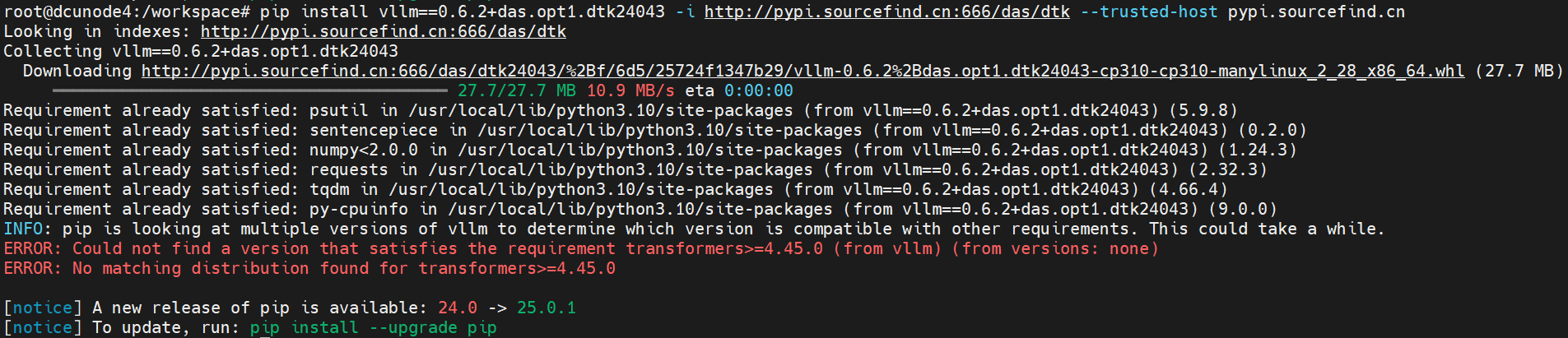
如果直接指定版本号,如vllm==0.5.0,则默认安装最新版本,若需要指定版本,请输入完整的版本号
4、版本号错误
如果版本号不对的截图,终端会将所有的version列出来
pip install vllm==0.4.2+das.opt1.dtk24043 -i http://pypi.sourcefind.cn:666/das/dtk --trusted-host pypi.sourcefind.cn
其中 'vllm==0.4.2+das.opt1.dtk24043' 为错误版本号

全部评论(0)
只看楼主
 暂无数据
暂无数据--
楼主

0 点赞
0 帖子
楼主热帖
暂无数据常见问题新帖
暂无数据