在K100AI部署 qwen3.6, 被折磨了好几天,成果如下。
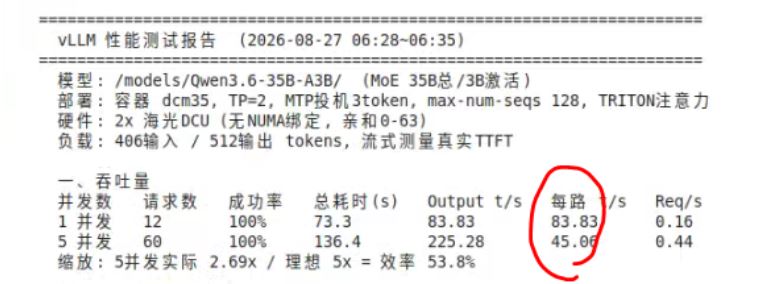
### 效果(Qwen3.6-35B-A3B 极限速度62token/s, 最低42token/s)

### 镜像和模型
1. 必须使用 42.228.13.241:5000/jenkins/model_test_env/vllm:0.18.1-ubuntu22.04-dtk26.04-py3.10-20260510-2242 镜像,其他老的新的镜像都不适合。
2. 单卡部署INT8量化模型,模型从modelscope下载
1. hygon/Qwen3.6-27B-Channel-INT8-w8a8
2. hygon/Qwen3.6-35B-A3B-Channel-INT8-w8a8
### 部署命令参考
```
docker run -it \
--shm-size 200g \
--network=host \
--name=qwen3.6-custom \
--privileged \
--device /dev/mkfd \
--device=/dev/kfd \
--device=/dev/dri \
--group-add video \
--cap-add=SYS_PTRACE \
--security-opt seccomp=unconfined \
-v /data/AI:/data/AI:ro \
-v /opt/hyhal/:/opt/hyhal/:ro \
42.228.13.241:5000/jenkins/model_test_env/vllm:0.18.1-ubuntu22.04-dtk26.04-py3.10-20260510-2242 \
/bin/bash
export HIP_VISIBLE_DEVICES="7"
vllm serve ./Qwen3.6-35B-A3B-Channel-INT8-w8a8 \
--served-model-name Qwen3.6-35B-A3B-Channel-INT8-w8a8 \
--trust-remote-code \
--disable-cascade-attn \
--max-num-batched-tokens 10240 \
--speculative-config.method mtp \
--speculative-config.num_speculative_tokens 3 \
--enable-prefix-caching \
--gpu-memory-utilization 0.90 \
--port 8101 \
--default-chat-template-kwargs '{"enable_thinking": false}'
vllm serve ./Qwen3.6-27B-Channel-INT8-w8a8 \
--served-model-name Qwen3.6-27B \
--trust-remote-code \
--disable-cascade-attn \
--max-num-batched-tokens 10240 \
--speculative-config.method mtp \
--speculative-config.num_speculative_tokens 3 \
--enable-prefix-caching \
--gpu-memory-utilization 0.90 \
--port 8101 \
--default-chat-template-kwargs '{"enable_thinking": false}'
```
### 其他注意事项
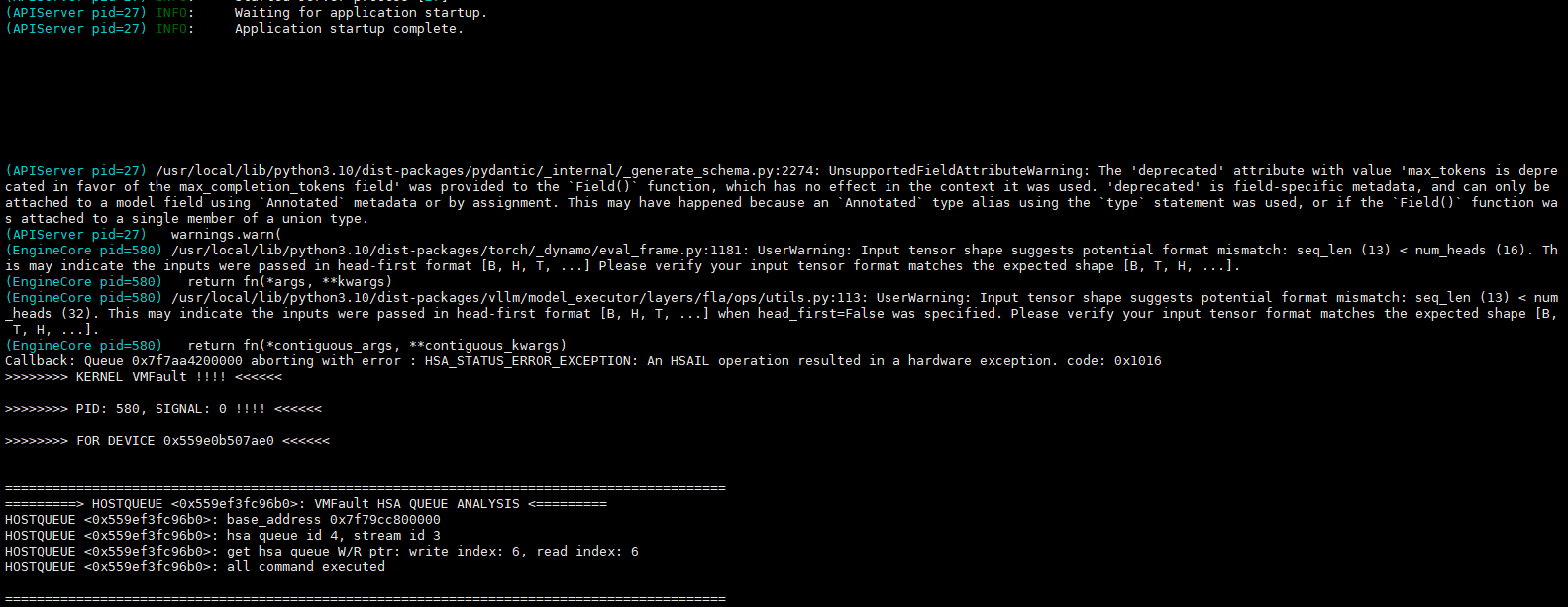
不要尝试其他镜像了,我实测了很多镜像,包括2026.7海光出的vllm0.21镜像,效果都很差。要么 7 token/s ,要么各种崩溃。
对于qwen3.6, vllm:0.18.1-ubuntu22.04-dtk26.04-py3.10-20260510-2242就是唯一的神。

好多兄弟不知道怎么下载镜像,其实这是docker的通用玩法,把仓库地址加到daemon.json即可, 参考我的:
```
[root@zhihui-tuxing-001 containers]# cat /etc/docker/daemon.json
{
"registry-mirrors": ["https://registry.docker-cn.com"],
"insecure-registries": [
"42.228.13.241:5000"
],
"exec-opts": ["native.cgroupdriver=systemd"]
}
```

 折腾几天了
折腾几天了
 暂无数据
暂无数据